You
Which double rooms are free on 14 and 15 November?
Install
npx shadcn add @klarhimmel/app-assistant-threadUsage
import { Theme } from '@/components/klarhimmel/theme/style';
import { BlockSurface } from '@/components/klarhimmel/blocks/surface';
import AppAssistantThread from '@/components/klarhimmel/blocks/app-assistant-thread';

export default function Section() {
  return (
    <Theme theme="brand">
      <BlockSurface>
        <AppAssistantThread props={{
          "label": "Conversation with the booking assistant",
          "state": "idle",
          "height": "auto",
          "userName": "You",
          "assistantName": "Booking assistant",
          "turns": [
            {
              "role": "user",
              "text": "Which double rooms are free on 14 and 15 November?"
            },
            {
              "role": "assistant",
              "text": "Two double rooms are free both nights at Exempelhotellet.\nRoom 204 faces the courtyard. Room 311 has a balcony and a bath.",
              "code": "204  Double, courtyard   1 190 SEK\n311  Double, balcony     1 490 SEK"
            },
            {
              "role": "user",
              "text": "Hold 311 for the Lindqvist family until Friday."
            }
          ],
          "codeLabel": "Code",
          "typing": "Writing…",
          "error": {
            "title": "The answer did not arrive",
            "message": "The connection dropped before the assistant finished. Your message is saved.",
            "retry": "Try again"
          },
          "empty": {
            "title": "Ask about rooms, rates or bookings",
            "hint": "The assistant can look things up and prepare changes. It asks before it changes anything.",
            "suggestions": [
              "Which rooms are free this weekend?",
              "Summarise today's arrivals",
              "Move booking 4821 to the 16th"
            ]
          }
        }} />
      </BlockSurface>
    </Theme>
  );
}assistant thread in 4 forms: idle, streaming, error, empty.
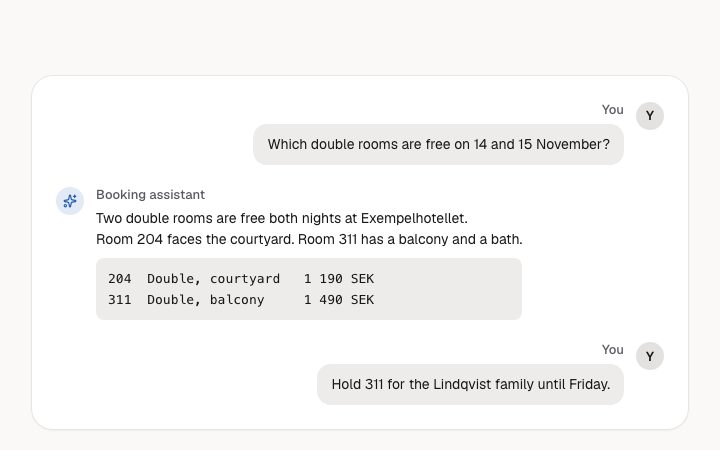
Which double rooms are free on 14 and 15 November?
Two double rooms are free both nights at Exempelhotellet. Room 204 faces the courtyard. Room 311 has a balcony and a bath.
204  Double, courtyard   1 190 SEK
311 Double, balcony 1 490 SEKHold 311 for the Lindqvist family until Friday.
Which double rooms are free on 14 and 15 November?
Two double rooms are free both nights at Exempelhotellet. Room 204 faces the courtyard. Room 311 has a balcony and a bath.
204  Double, courtyard   1 190 SEK
311 Double, balcony 1 490 SEKHold 311 for the Lindqvist family until Friday.
Writing…
Which double rooms are free on 14 and 15 November?
Two double rooms are free both nights at Exempelhotellet. Room 204 faces the courtyard. Room 311 has a balcony and a bath.
204  Double, courtyard   1 190 SEK
311 Double, balcony 1 490 SEKHold 311 for the Lindqvist family until Friday.
The answer did not arrive
The connection dropped before the assistant finished. Your message is saved.
Ask about rooms, rates or bookings
The assistant can look things up and prepare changes. It asks before it changes anything.
The message log of an assistant: user and assistant turns, optional code, and idle, streaming, error and empty states. Use `app-assistant-showcase` when you only want a picture of a conversation on a landing page.
- Each turn takes `text` up to 4000 characters and an optional `code` up to 20000. Put commands and file contents in `code` so they get their own scrollable, labelled region instead of running into the prose. - Names matter: `userName` and `assistantName` (30 characters) name each turn for a screen reader, and the user's avatar shows the first letter of the name. - For the empty state, give up to 3 `suggestions` of 80 characters as full questions someone would actually ask, since each becomes a button.
With `height` set to fixed the log scrolls inside the block at about 28rem and takes focus from the keyboard, so a fixed thread inside a page with other scrolling content can trap people. Suggestion and Retry buttons do nothing until a host passes handlers.
The block in a page, with its default content (long lists shortened). Every prop is in the table below.
import { Theme } from '@/components/klarhimmel/theme/style';
import { BlockSurface } from '@/components/klarhimmel/blocks/surface';
import AppAssistantThread from '@/components/klarhimmel/blocks/app-assistant-thread';

export default function Section() {
  return (
    <Theme theme="brand">
      <BlockSurface>
        <AppAssistantThread props={{
          "label": "Conversation with the booking assistant",
          "state": "idle",
          "height": "auto",
          "codeLabel": "Code",
          "userName": "You",
          "assistantName": "Booking assistant",
          "turns": [
            {
              "role": "user",
              "text": "Which double rooms are free on 14 and 15 November?"
            },
            {
              "role": "assistant",
              "text": "Two double rooms are free both nights at Exempelhotellet.\nRoom 204 faces the courtyard. Room 311 has a balcony and a bath.",
              "code": "204  Double, courtyard   1 190 SEK\n311  Double, balcony     1 490 SEK"
            },
            {
              "role": "user",
              "text": "Hold 311 for the Lindqvist family until Friday."
            }
          ],
          "typing": "Writing…",
          "error": {
            "title": "The answer did not arrive",
            "message": "The connection dropped before the assistant finished. Your message is saved.",
            "retry": "Try again"
          },
          "empty": {
            "title": "Ask about rooms, rates or bookings",
            "hint": "The assistant can look things up and prepare changes. It asks before it changes anything.",
            "suggestions": [
              "Which rooms are free this weekend?",
              "Summarise today's arrivals",
              "Move booking 4821 to the 16th"
            ]
          }
        }} />
      </BlockSurface>
    </Theme>
  );
}The turns, the speaker names and the four states are the content; height switches between growing with the conversation and a fixed scroll box. The error and empty groups are the words for those two states.
| Prop | Type | Default | Description |
|---|---|---|---|
label | string | 'Conversation with the booking assis…' | Text, up to 60 characters. |
state | 'idle' | 'streaming' | 'error' | 'empty' | 'idle' | One of 'idle', 'streaming', 'error', 'empty'. |
height | 'auto' | 'fixed' | 'auto' | One of 'auto', 'fixed'. |
userName | string | 'You' | Text, up to 30 characters. |
assistantName | string | 'Booking assistant' | Text, up to 30 characters. |
turns | { role, text, code }[] | 3 items | List of up to 50. Each item: role ('user' | 'assistant'), text, code (optional). |
codeLabel | string | 'Code' | Text, up to 30 characters. |
typing | string | 'Writing…' | Text, up to 40 characters. |
error | { title, message, retry } | {…} | Fields: title, message, retry. |
empty | { title, hint, suggestions } | {…} | Fields: title, hint, suggestions. |
The states of every assistant component, side by side.
Installs
app-assistant-thread