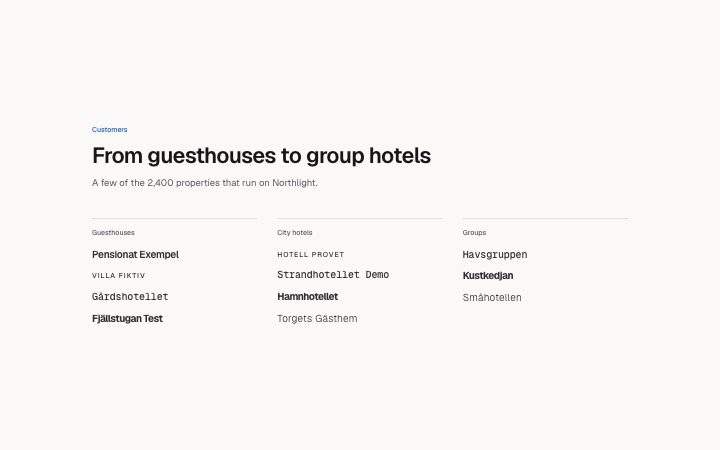
Logos, by sector
Install
npx shadcn add @klarhimmel/logos-groupedUsage
import { Theme } from '@/components/klarhimmel/theme/style';
import { BlockSurface } from '@/components/klarhimmel/blocks/surface';
import LogosGrouped from '@/components/klarhimmel/blocks/logos-grouped';

export default function Section() {
  return (
    <Theme theme="brand">
      <BlockSurface>
        <LogosGrouped props={{
          "eyebrow": "Customers",
          "title": "From guesthouses to group hotels",
          "description": "A few of the 2,400 properties that run on Northlight.",
          "groups": [
            {
              "name": "Guesthouses",
              "logos": [
                "Pensionat Exempel",
                "Villa Fiktiv",
                "Gårdshotellet",
                "Fjällstugan Test"
              ]
            },
            {
              "name": "City hotels",
              "logos": [
                "Hotell Provet",
                "Strandhotellet Demo",
                "Hamnhotellet",
                "Torgets Gästhem"
              ]
            },
            {
              "name": "Groups",
              "logos": [
                "Havsgruppen",
                "Kustkedjan",
                "Småhotellen"
              ]
            }
          ]
        }} />
      </BlockSurface>
    </Theme>
  );
}
Install
Import
import Block from '@/components/klarhimmel/blocks/logos-grouped';- logo-cloud/grouped
- About
- Customer names set as wordmarks in columns under a sector heading (hotels, restaurants, agencies), two to four groups. Shows the breadth of who uses you, which a single row cannot. No logo files needed.
- Category
- Who already uses it, as a quiet row or grid of logos.
Notes
When to use it
Logos or names arranged under group headings such as industries or partner types. If the list has no useful categories, `logos-grid` is simpler and holds more.
Writing for it
- Title is required and holds 120 characters. It should state what the groups have in common, like who uses the product. - Use two to four groups, each with a name (40) and one to six logos. These logos are plain text strings, not images, so each is a company name of up to 40 characters. - Give the groups a similar number of entries; uneven columns leave one group looking thin.
Watch out for
The columns follow the group count, from two to four. Adding a fifth group is blocked by the schema, so merge categories instead of expecting the layout to wrap.
Pairs well with
Usage
The block in a page, with its default content (long lists shortened). Every prop is in the table below.
import { Theme } from '@/components/klarhimmel/theme/style';
import { BlockSurface } from '@/components/klarhimmel/blocks/surface';
import LogosGrouped from '@/components/klarhimmel/blocks/logos-grouped';

export default function Section() {
  return (
    <Theme theme="brand">
      <BlockSurface>
        <LogosGrouped props={{
          "eyebrow": "Customers",
          "title": "From guesthouses to group hotels",
          "description": "A few of the 2,400 properties that run on Northlight.",
          "groups": [
            {
              "name": "Guesthouses",
              "logos": [
                "Pensionat Exempel",
                "Villa Fiktiv",
                "Gårdshotellet",
                "Fjällstugan Test"
              ]
            },
            {
              "name": "City hotels",
              "logos": [
                "Hotell Provet",
                "Strandhotellet Demo",
                "Hamnhotellet",
                "Torgets Gästhem"
              ]
            },
            {
              "name": "Groups",
              "logos": [
                "Havsgruppen",
                "Kustkedjan",
                "Småhotellen"
              ]
            }
          ]
        }} />
      </BlockSurface>
    </Theme>
  );
}
Props
The type, default and text limit of every prop. On a real page, over-limit text is kept and checkSections flags it (Installation, Check a page before you ship); this live preview shows the default until it fits. The panel above edits all props.
| Prop | Type | Default | Description |
|---|---|---|---|
eyebrow | string | 'Customers' | Text, up to 60 characters. |
title | string | 'From guesthouses to group hotels' | Text, up to 120 characters. |
description | string | 'A few of the 2,400 properties that …' | Text, up to 300 characters. |
groups | { name, logos }[] | 3 items | List of 2 to 4. Each item: name, logos. |
headingLevel | '1' | '2' | - | One of '1', '2'. Optional; empty is not rendered. |