Contact, booking link
Install
npx shadcn add @klarhimmel/contact-booking-linkUsage
import { Theme } from '@/components/klarhimmel/theme/style';
import { BlockSurface } from '@/components/klarhimmel/blocks/surface';
import ContactBookingLink from '@/components/klarhimmel/blocks/contact-booking-link';

export default function Section() {
  return (
    <Theme theme="brand">
      <BlockSurface>
        <ContactBookingLink props={{
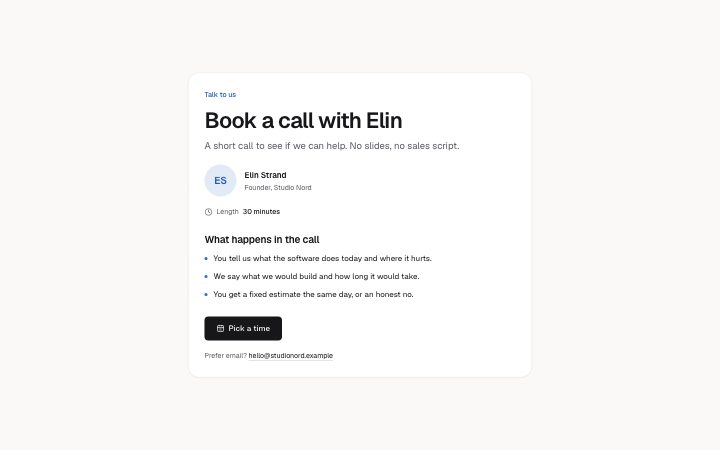
          "eyebrow": "Talk to us",
          "title": "Book a call with Elin",
          "description": "A short call to see if we can help. No slides, no sales script.",
          "person": {
            "name": "Elin Strand",
            "role": "Founder, Studio Nord",
            "photo": {
              "src": "",
              "alt": "Elin Strand, smiling, in front of a window"
            }
          },
          "length": "30 minutes",
          "lengthLabel": "Length",
          "whatTitle": "What happens in the call",
          "points": [
            "You tell us what the software does today and where it hurts.",
            "We say what we would build and how long it would take.",
            "You get a fixed estimate the same day, or an honest no."
          ],
          "link": {
            "label": "Pick a time",
            "href": "#calendar"
          },
          "newTab": false,
          "alt": {
            "label": "Prefer email?",
            "email": "hello@studionord.example"
          }
        }} />
      </BlockSurface>
    </Theme>
  );
}
Install
Import
import Block from '@/components/klarhimmel/blocks/contact-booking-link';- contact/booking-link
- About
- A card for booking a call in an external calendar: the person (photo, name, role), how long it is, what happens in the call, one primary link to the calendar page, and an email for people who prefer that.
- Category
- A form, a booking panel or office details. The page wires the submit.
Notes
When to use it
A card for booking a call in an outside calendar: who you will meet, how long it takes, what happens, and one button to the calendar page. No slots are drawn. For a form with fixed slots, use `contact-booking`.
Writing for it
- Give the person a name (60, required), a role (80) and a photo. Without a photo src the block draws the initials of the name instead. - Points are two to four entries of 120 characters; describe what is covered in the call, not how nice it will be. - The length is free text with its own label, so write '30 minutes' under a label such as 'Length', and keep it exact.
Watch out for
The calendar opens in the same tab unless newTab is true, in which case the link gets rel noopener noreferrer. The alternative email line is dropped when the email is empty, even if its label is filled.
Pairs well with
Usage
The block in a page, with its default content (long lists shortened). Every prop is in the table below.
import { Theme } from '@/components/klarhimmel/theme/style';
import { BlockSurface } from '@/components/klarhimmel/blocks/surface';
import ContactBookingLink from '@/components/klarhimmel/blocks/contact-booking-link';

export default function Section() {
  return (
    <Theme theme="brand">
      <BlockSurface>
        <ContactBookingLink props={{
          "eyebrow": "Talk to us",
          "title": "Book a call with Elin",
          "description": "A short call to see if we can help. No slides, no sales script.",
          "person": {
            "name": "Elin Strand",
            "role": "Founder, Studio Nord",
            "photo": {
              "src": "",
              "alt": "Elin Strand, smiling, in front of a window"
            }
          },
          "length": "30 minutes",
          "lengthLabel": "Length",
          "whatTitle": "What happens in the call",
          "points": [
            "You tell us what the software does today and where it hurts.",
            "We say what we would build and how long it would take.",
            "You get a fixed estimate the same day, or an honest no."
          ],
          "link": {
            "label": "Pick a time",
            "href": "#calendar"
          },
          "newTab": false,
          "alt": {
            "label": "Prefer email?",
            "email": "hello@studionord.example"
          }
        }} />
      </BlockSurface>
    </Theme>
  );
}
Props
The type, default and text limit of every prop. On a real page, over-limit text is kept and checkSections flags it (Installation, Check a page before you ship); this live preview shows the default until it fits. The panel above edits all props.
| Prop | Type | Default | Description |
|---|---|---|---|
eyebrow | string | 'Talk to us' | Text, up to 60 characters. Optional; empty is not rendered. |
title | string | 'Book a call with Elin' | Text, up to 120 characters. |
description | string | 'A short call to see if we can help.…' | Text, up to 300 characters. Optional; empty is not rendered. |
person | { name, role, photo } | {…} | Fields: name, role, photo. |
length | string | '30 minutes' | Text, up to 30 characters. |
lengthLabel | string | 'Length' | Text, up to 30 characters. |
whatTitle | string | 'What happens in the call' | Text, up to 60 characters. |
points | string[] | 3 items | List of 2 to 4. |
link | Link | {…} | See the type. |
newTab | boolean | false | Optional; empty is not rendered. |
alt | { label, email } | {…} | Fields: label, email. Optional; empty is not rendered. |
headingLevel | '1' | '2' | - | One of '1', '2'. Optional; empty is not rendered. |